Troubleshooting HostFormOnQuik ShortURL Generation
Troubleshooting HostFormOnQuik ShortURL Generation
Overview
The Execute HTML API can either return the generated form HTML or host the generated form through the Quik! Form Viewer.
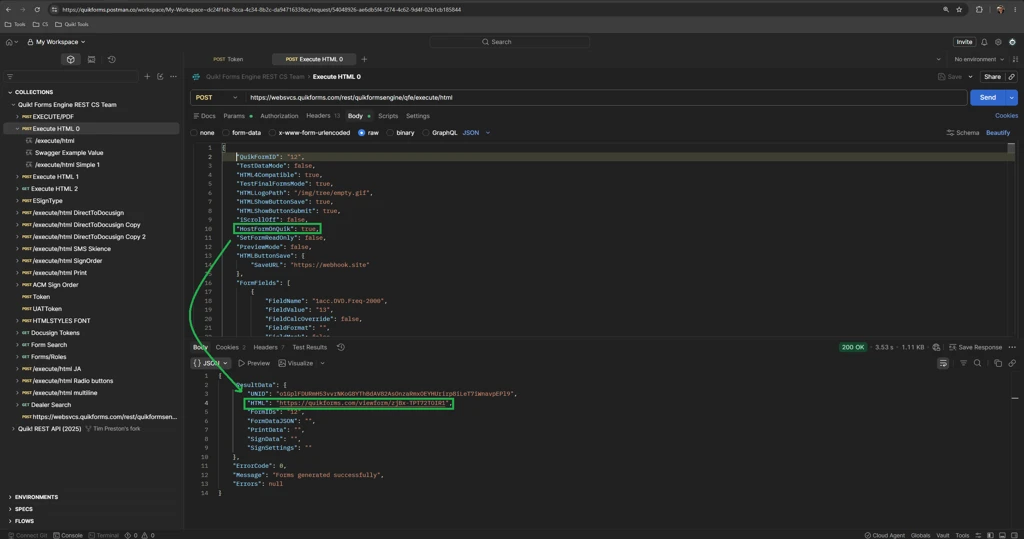
To have Quik! host the generated form and return a form link, include the following property in the request:
"HostFormOnQuik": true
When HostFormOnQuik is set to true, a successful Execute HTML request returns a hosted Quik! Form Viewer link in the response. If the Quik! account associated with the request is not active, ShortURL generation may fail and return a 400 Bad Request.
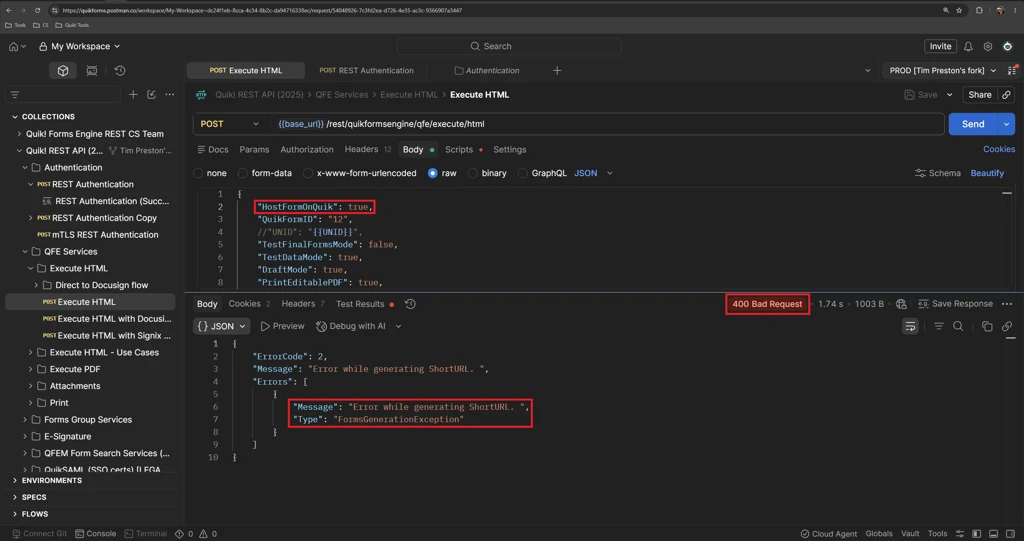
“Message”: “Error while generating ShortURL.”
If the Quik! account associated with the request is not active and “HostFormOnQuik”: true, is included in the payload, the request may return a 400 Bad Request with “Message”: “Error while generating ShortURL.”, as shown below.
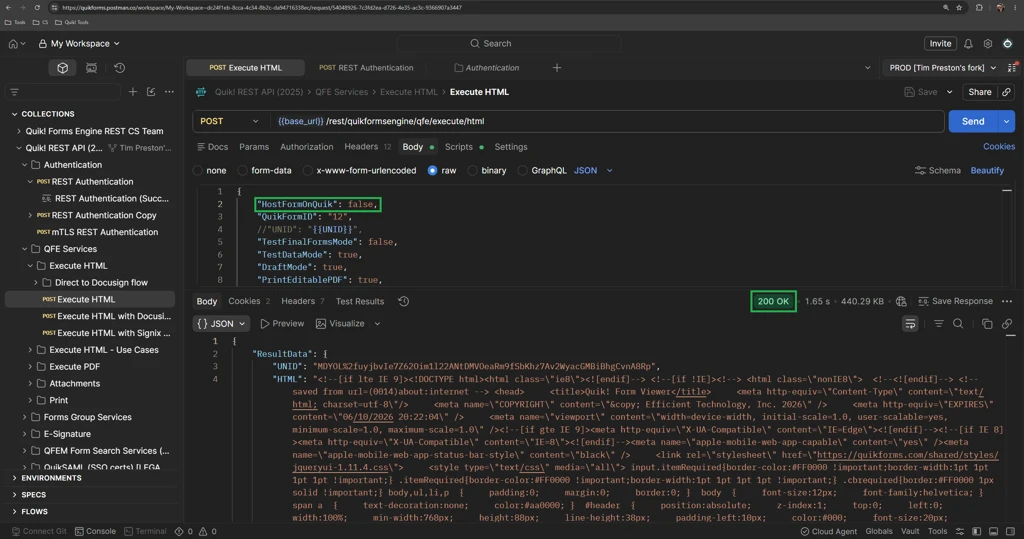
If “HostFormOnQuik”: false is used instead, the API does not attempt to generate the hosted ShortURL. In this case, the request may complete successfully and return the generated form HTML in ResultData.HTML instead of a Quik! Form Viewer link, as shown below.
API Call Resolution
If “HostFormOnQuik”: true returns “Error while generating ShortURL.”, confirm that the Quik! account associated with the request is active.
Once the account is active, retry the Execute HTML request with “HostFormOnQuik”: true. A successful request should return the hosted Quik! Form Viewer link in the response, as shown below.
If the account appears active and ShortURL generation continues to fail, contact Quik! Support with the request and complete response for further review.